
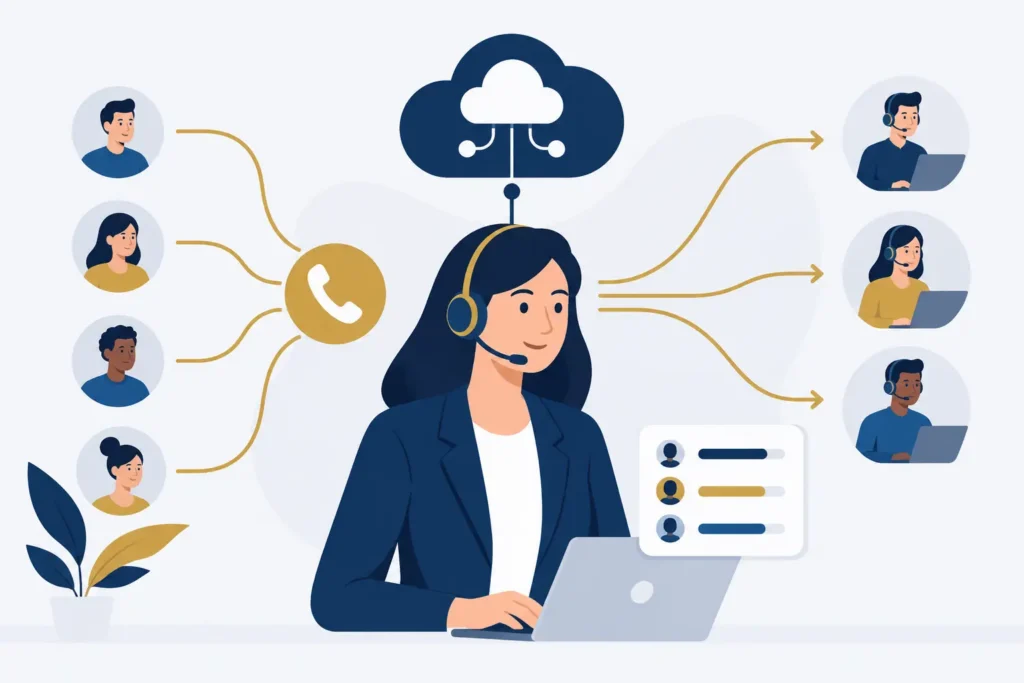
A caller who reaches voicemail during business hours may not try again. For a medical practice, that can mean an unfilled appointment. For a real estate brokerage, it can mean a buyer contacting another agent. The best ways to route calls are the ones that get each caller to a capable person quickly, while giving your team a manageable workload.
Call routing is the set of rules that determines where an incoming call goes. Those rules can follow business hours, department selection, employee availability, caller language, agent skill, or the length of time someone has waited. The right setup is not necessarily the most complicated one. It is the one that reflects how your business actually handles work.
Best ways to route calls based on the customer need
Start with the reason people call. Most small and mid-sized businesses receive a predictable mix: new sales inquiries, existing customer questions, billing issues, appointment requests, and urgent service needs. Sending all of those calls to one front desk employee creates a bottleneck, even if that employee is excellent.
A simple phone menu, also called an auto-attendant, gives callers a direct path. A dental office might offer options for scheduling, billing, and clinical questions. A retailer may separate online order support from store inquiries. The menu should be short and written in the language customers use. “Press 1 for appointments” is clearer than “Press 1 for patient services.”
Auto-attendants work well when call reasons are distinct. They are less useful when nearly every caller needs the same person, or when a long menu would frustrate callers. Keep the main menu to a few options and make sure callers can reach a person without having to listen to every choice.
Route by time of day and business hours
Time-based routing changes the call path according to your schedule. During regular hours, calls can ring your office team or department queues. After hours, they can go to an on-call employee, an answering service, voicemail, or an AI voice agent that can answer routine questions and capture details.
This is especially useful for businesses where timing changes the urgency of a call. A hospitality business may need evening coverage. A property management company may need urgent maintenance calls sent to an on-call number. An accounting firm may want tax-season calls handled differently from normal weekday traffic.
Be precise about holiday schedules and early closures. An after-hours greeting that says the office is open is worse than a straightforward message that sets expectations and offers the next step. Review these schedules before holidays and seasonal busy periods.
Use simultaneous or sequential ringing for small teams
For a team of two to 10 people, simultaneous ringing is often the fastest way to answer calls. One call rings on several desk phones or mobile apps at once, and the first available person takes it. It prevents one employee’s lunch break, meeting, or customer conversation from becoming a missed opportunity.
Sequential ringing takes a different approach. The system calls one person first, then moves to another person if there is no answer after a set number of seconds. This can work when account ownership matters, such as a financial services office where clients expect to reach a particular advisor.
The trade-off is clear. Simultaneous ringing improves speed but can make it harder to control who answers. Sequential ringing preserves ownership but adds wait time. Many businesses use both: a primary employee gets the first chance, then the call rings the wider team.
Build queues for departments with recurring call volume
A call queue holds callers until the next available team member can answer. It is a better option than sending several callers to individual voicemail boxes, particularly for customer service, scheduling, or sales teams.
A well-managed queue should tell callers they have reached the right department, provide a realistic option to leave a message, and avoid excessive hold time. If a caller has been waiting too long, the routing rules should offer an alternative path, such as voicemail sent to a shared inbox or an overflow team.
Queue data matters as much as the queue itself. Watch average wait time, abandoned-call rate, peak call periods, and the number of calls each employee handles. Real-time dashboards make these patterns visible while the day is still in progress, not weeks later when the opportunity to adjust has passed.
Use skills-based routing when the first available person is not enough
Skills-based routing sends calls to employees based on what they can handle, rather than simply who is free. A bilingual representative can receive Spanish-language calls. A support specialist can receive technical questions. A senior insurance agent can receive complex policy inquiries.
This approach is most useful once calls become specialized and a wrong transfer creates repeat explanations for the customer. It requires honest setup work. If every employee is assigned every skill, the routing logic does not improve anything. Define a small number of meaningful skills, keep them current, and establish an overflow rule for busy periods.
For larger service or sales teams, a contact center platform can combine skills-based routing with call recording, CRM integration, omnichannel conversations, and live reporting. Smaller offices may not need that level of configuration. A basic auto-attendant and shared queue may solve the immediate problem at a lower cost and with less administration.
Set overflow rules before calls become missed calls
Every route needs a backup path. A department may be short-staffed, a receptionist may be helping another customer, or the sales team may be in a meeting. Overflow routing decides what happens next instead of leaving the outcome to chance.
Common overflow rules include sending a call to another department, a manager, a shared queue, or voicemail after a defined wait. The best choice depends on the call type. A new lead may justify ringing a sales manager after 30 seconds. A nonurgent invoice question may be better served by a message that promises a return call by the next business day.
Avoid setting the overflow timer too aggressively. Moving a caller between several people in the first minute creates confusion. The goal is a deliberate handoff, not a frantic phone tree.
Let an AI voice agent cover repetitive and after-hours calls
An AI voice agent can answer around the clock, handle frequently asked questions, book appointments, collect caller details, and route qualified leads to the right staff member. It is useful when the alternative is a voicemail box that no one monitors until morning or a front desk that spends much of the day answering the same basic questions.
It is not the right answer for every conversation. Sensitive financial matters, complicated care questions, escalated complaints, and unusual service requests often need a trained employee. The practical model is to let the agent handle routine intake and clear handoffs, while giving callers an obvious option to reach a person when needed.
Design call routing around staffing reality
Routing rules fail when they assume employees are always available. Build schedules around who actually answers calls, where they work, and which calls they are authorized to handle. If remote staff use mobile or desktop calling apps, include those endpoints in the plan rather than relying on personal cell phone forwarding.
Test the experience from a customer’s perspective. Call each menu option. Try it during open hours, after hours, and when the intended recipient does not answer. Confirm that voicemail notifications reach the right shared mailbox and that employees know who owns follow-up.
Then measure the results for a few weeks. If calls are abandoned at a particular menu option, simplify it. If one queue regularly backs up at noon, change schedules or add overflow coverage. If callers keep asking for a person immediately, the automated greeting may be too long or too vague.
Cloud Vision Technologies provides separate Hosted VoIP, AI Voice Agent, and Contact Center Platform products, so businesses can choose the level of routing capability that matches their call volume and workflow. Hosted VoIP can cover auto-attendants, department routing, mobile and desktop calling, and real-time dashboards. Teams that need specialized routing, CRM integration, recording, or progressive and preview dialing may be better served by the Contact Center Platform.
The most useful routing plan is never finished on installation day. Treat it like an operating process: review the calls that waited, the callers who gave up, and the questions your staff answered repeatedly. Those patterns will tell you where the next routing change should happen.