
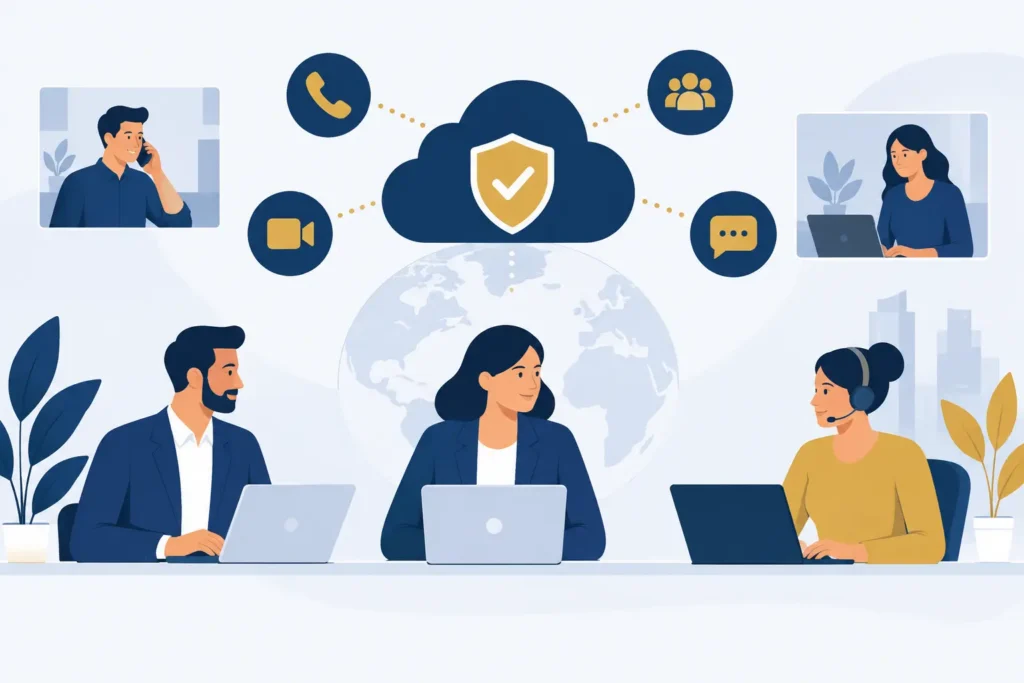
A missed call during a disruption is not merely a technical issue. For a medical practice, it can delay care. For a real estate brokerage, it can send a buyer to another agent. For an accounting firm, it can leave a client wondering whether anyone is available. This business communications continuity guide focuses on the practical question that matters: when normal operations break down, how will customers still reach the right person?
Communications continuity is the ability to keep calls, messages, routing, and customer updates operating during an interruption. That interruption may be a power issue at an office, severe weather, an unavailable employee, a building closure, a phone-system failure, or a sudden spike in call volume. The goal is not to pretend disruption will never happen. The goal is to decide what happens next before customers are left guessing.
Start With the Calls You Cannot Afford to Miss
Not every call deserves the same response time. A continuity plan becomes workable when you identify the calls that create the greatest operational or financial risk.
A healthcare office may prioritize urgent patient calls, prescription questions, and schedule changes. A hospitality business may prioritize same-day reservations and guest issues. A service business may prioritize new leads and active-job questions. Finance and legal firms may put time-sensitive client matters ahead of general inquiries.
Write down the top three to five call types your business must handle during an interruption. For each one, define who can answer it, what information they need, and what should happen if that person is unavailable. Keep the instructions short enough that an office manager or team lead can use them under pressure.
This exercise also exposes a common weak point: many businesses route every call to one main number, one receptionist, or one owner. That may work on a normal Tuesday. It is not continuity.
Map Your Communication Failure Points
A useful plan is specific about failure points. “Our phones go down” is too broad to guide anyone. Break the problem into scenarios that require different responses.
Office Access Is Interrupted
If employees cannot enter the office, can they still receive business calls on approved mobile or desktop apps? Can the main number continue to ring to a defined group rather than forwarding to one employee’s personal phone? Are voicemail messages visible to the people responsible for follow-up?
Cloud-based phone systems make this easier because users are not tied to a desk handset. But access rules still matter. Staff should know which devices and applications are approved for customer communication, particularly in healthcare, financial services, and other fields where sensitive information may be discussed.
A Key Employee Is Unavailable
When the person who normally answers calls is out, the business needs a replacement path. Build call groups for sales, service, scheduling, billing, or other functions where another trained employee can take over.
Do not assume everyone knows how to handle every type of call. Give backup staff a simple call-handling script, a current escalation list, and authority to make routine decisions. The routing plan is only as effective as the people receiving the call.
Call Volume Suddenly Increases
Storms, product issues, billing cycles, enrollment deadlines, and local events can all create a rush of inbound calls. During these periods, customers need clear expectations more than an elaborate phone tree.
Use an auto-attendant to tell callers what is happening, direct routine questions to the right option, and provide estimated response expectations when appropriate. A short, current message is better than an outdated greeting that tells callers to visit an office that is closed.
For high-volume teams, skills-based routing can send calls to agents trained for a specific issue. A contact center platform is usually the better fit when the operation needs queue management, call recording, agent dashboards, and CRM integration. A basic hosted phone system may be enough for a smaller office that primarily needs reliable calling, mobile access, and clear routing. The right choice depends on the complexity of the work, not the size of the company alone.
Set Clear Routing Rules Before an Incident
Continuity depends on routing rules that are easy to activate and easy to understand. Start with your main number. Decide where it should ring during normal hours, after hours, and during an unexpected closure.
Then define the order of escalation. For example, a new-sales inquiry might ring the sales group first, then an operations manager, then go to voicemail with a committed callback timeframe. An urgent patient or customer issue may require a separate route to an on-call person. Keep escalation groups current as staff and responsibilities change.
Avoid routing every overflow call to the owner. It creates a single point of failure and makes it difficult for the business to scale. Instead, assign accountable groups and make one person responsible for checking that those groups are current each quarter.
After-hours coverage deserves the same attention. If your business does not offer live after-hours support, say so plainly in the greeting and tell callers what will happen next. If you do offer it, test the on-call route regularly. An on-call number that has not been tested is an assumption, not a plan.
Use Automation for the Work It Can Reliably Handle
Automation can reduce the pressure on staff during disruptions, but it should not become a barrier between customers and help. Use it for predictable, repeatable tasks: confirming business hours, answering common questions, booking appointments, collecting basic details, and routing a qualified caller to the right team.
An AI voice agent can answer calls 24/7 and handle those routine interactions when employees are unavailable or call volume exceeds capacity. It should be configured with accurate business information and a clear path to a person for issues it cannot resolve. If callers need judgment, empathy, or access to a sensitive account, they should not be forced through a long automated conversation.
Review recorded interactions and missed-call reports after busy periods. They show where automation is helping and where callers are getting stuck. The aim is fewer abandoned calls and faster resolution, not automation for its own sake.
Keep Customer Messages Consistent Across Channels
A continuity failure often begins with conflicting information. The phone greeting says one thing, an employee says another, and a customer message goes unanswered. Decide in advance who can approve disruption messages and where those messages will appear.
At a minimum, prepare short templates for an unexpected closure, delayed response times, staff shortages, and service interruptions. The wording should explain what customers need to know: whether you are open, how to reach the right team, and when they can expect a response.
If your phone system supports SMS, email, and chat alongside calling, designate which team members monitor each channel during an incident. Omnichannel communication only helps when there is ownership. A message sitting in an unattended inbox is no better than a ringing phone nobody answers.
Measure Whether the Plan Works
A continuity plan should be tested in ordinary business conditions, not pulled out for the first time during a crisis. Pick one realistic scenario, such as an office closure or a receptionist absence, and run it for an hour. Call the main number, follow the routing path, leave a voicemail, send a message, and verify the customer experience from start to finish.
Use real-time dashboards to check call volume, wait times, missed calls, queue activity, and response patterns while the test is running. The numbers will reveal issues that written procedures miss, such as calls ringing too long, an overloaded backup employee, or a queue that is not being monitored.
Test at least twice a year and whenever you change providers, add locations, alter business hours, or reorganize teams. Also review the plan after a real interruption. The best changes usually come from specific evidence: which call type was missed, what routing rule failed, and who did not have the information needed to respond.
Assign Ownership and Keep the Plan Usable
A continuity plan needs an owner, but it should not live only in that person’s head. Assign an operations leader, office manager, or customer-service lead to maintain the call flows, escalation contacts, greetings, and staff instructions. Give a second person access and responsibility as backup.
Keep the plan in a place staff can reach without searching through old email threads. Include current phone numbers, group assignments, vendor support information, approval contacts, and the exact steps for changing greetings or routing rules. Remove former employees and outdated procedures promptly.
Cloud Vision Technologies works with businesses that need practical continuity without long-term contracts. Its Hosted VoIP service includes auto-attendant, mobile and desktop apps, omnichannel messaging, real-time dashboards, and unlimited US and Canada calling. For companies that need additional call handling, the AI Voice Agent and Contact Center Platform can be added as separate products rather than forced into a single bundle.
The useful test is simple: if your front office could not operate tomorrow morning, would a customer still know how to reach you, get a useful answer, and receive a follow-up? If the answer is uncertain, start with the main number and fix one call path this week.